
Every list of the Best IPTV Provider UK seems to crown a different winner. That isn’t because one list is right and the rest are wrong. It’s because the right service depends on things those lists rarely ask about: what your household watches, how many screens play at once, which devices you own, and how the service behaves at nine o’clock on a Saturday night.
This guide covers the five things that actually decide which provider suits you, with the comparisons and figures you need to judge each one. British IPTV Sub is a provider, so where we use our own plans as an example we say so, and the same yardsticks apply to every service you look at. If you want to see how we package things before reading on, the British IPTV Sub homepage gives a quick overview.
Thing 1: The Best IPTV Provider Is the One That Carries Your Channels Well
Headline channel counts are the least useful number in IPTV marketing. A household that watches eight channels and the odd box set gains nothing from a list of tens of thousands. What matters is whether the channels you actually use are present, well organised and dependable.
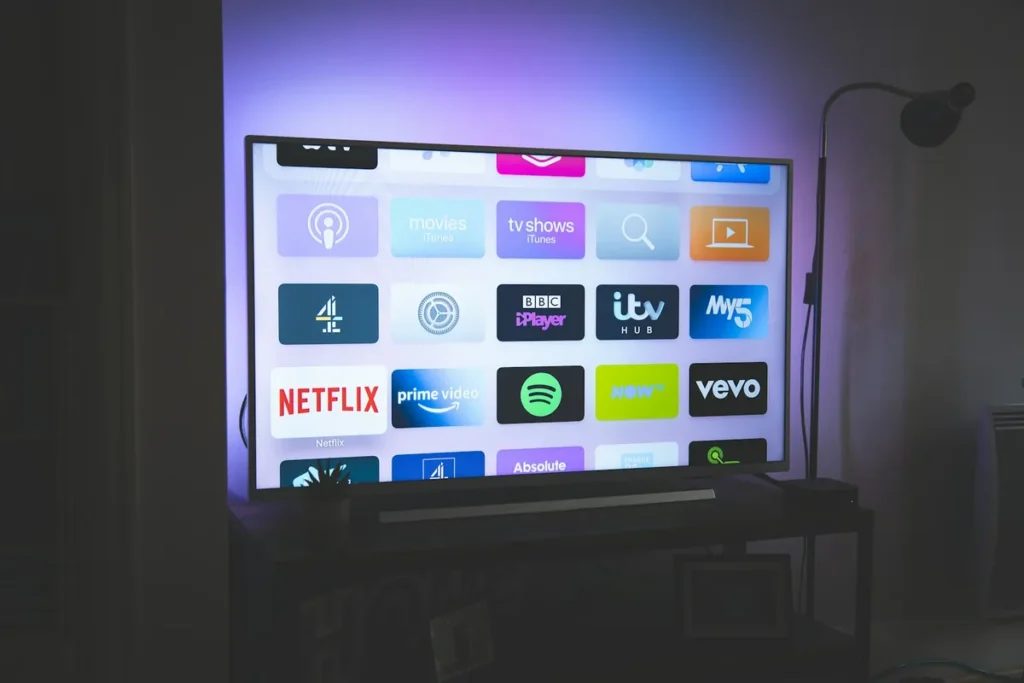
Before you compare a single service, write down three things:
- Your ten most-watched channels. Include the ones different family members care about, not just your own.
- How you browse. If your household flicks through what’s on in the evening, a reliable programme guide (EPG) matters more than almost anything else.
- Whether you watch yesterday’s programmes. Catch-up depends on the provider keeping an archive for each channel, so it varies from service to service and from channel to channel.
Then check each provider’s published channel information against that list, and ask about catch-up for the specific channels you named. A service that shines on paper but stumbles on your ten channels is not the best IPTV provider for your home, however many thousands it advertises.
What “4K” actually needs from your home
Many providers label channels as HD, FHD or 4K. A 4K label only helps if your TV, your device and your connection can all handle it. As a yardstick, Netflix suggests 15 Mbps for a single 4K stream and 5 Mbps for Full HD. Live IPTV channels differ from one provider to the next, so use that only as an order of magnitude, and allow for everyone else in the house who is online at the same time. When the best IPTV provider UK for your household offers several versions of a channel, choosing HD over 4K on a busy evening is often the simplest way to keep playback smooth.
Thing 2: Compare Plan Length and Screens, Not Headline Prices
Comparing headline prices between providers is misleading, because plans differ in length and in how many screens can play at the same time. A cheap-looking price may cover a short plan or a single screen, while a dearer one covers a year or a whole household. Before choosing, count how many screens are likely to be playing together on a busy evening. That figure, not the number of devices you own, decides which plan you need.
As a worked example, here are our own current plans, exactly as listed on our IPTV subscription pricing page when we checked on 18 October 2026. Prices can change, so check the live page before buying.
| Screens | 1 month | 3 months | 6 months | 12 months |
|---|---|---|---|---|
| 1 | 9.99 | £23.99 | £34.99 | £49.99 |
| 2 | £18 | £44 | £66 | £95 |
| 3 | — | £61 | £91 | £134 |
| 4 | — | £90 | £124 | £182 |
| 5 | — | £103 | £156 | £229 |
Two patterns are worth taking from this, and they apply to most providers. First, longer plans cost less for each month of viewing than short ones, so a short plan is Best IPTV Provider UK used to prove a service and a longer one to keep it. Second, every extra screen adds to the price, so pay for the number of screens your household really uses at once rather than the most you can buy.

The sensible route is the same with any provider: start on a short plan to prove the service in your home, then move to a longer plan once you’re confident. A provider that only sells long plans, or hides prices until you message them, makes that impossible.
What happens when the plan ends
Check two things before you pay: whether the plan renews automatically, and what the renewal price will be. Our plans are listed as one-time payments, so nothing renews without you choosing to. Whichever provider you pick, put the end date in your calendar a week early. That gives you time to decide whether to renew, change the number of screens, or move to a different service without a gap in viewing.
Thing 3: Peak-Time Stability Matters More Than Channel Counts
Almost any IPTV service looks good on a quiet weekday morning. The gap between an average service and the best IPTV provider uk shows when demand peaks: weekend evenings, big live events, the closing minutes of a match. A provider’s servers either have the capacity and routing to cope with everyone watching at once, or they don’t, and no marketing claim changes which.

Because peak-time behaviour can’t be judged from a website, the only reliable test is your own. Use a trial or a short first plan, and make sure it covers at least one weekend evening:
- Watch your three most important channels live at peak time, for at least fifteen minutes each.
- Change channels repeatedly and note how quickly each one starts.
- Check the programme guide loads fully and shows the right times.
- Send support a question and time the reply. You’ll want to know before you actually need help.
Questions worth asking about reliability
A provider’s answers to a few plain questions tell you how seriously it takes reliability. Do popular channels have backup versions if the main stream struggles? How does the service tell customers about outages or planned maintenance? What are the support hours, and is there a way to reach a person rather than a bot? A good provider answers these quickly and specifically. Vague replies, or none at all, are useful information too.
Our guide to getting real answers from an IPTV trial sets out a fuller plan for those first few days. Whichever service you test, the result on your own Saturday night is worth more than any ranking.
Thing 4: Your Device Decides Which Providers Will Actually Work
An IPTV subscription is delivered through a player app, so the best IPTV provider uk for you must support a player that installs on your TV or streaming device. The device market has shifted over the past year, and some combinations that used to work no longer do. This table summarises what each common UK device allows, based on the platforms’ and app developers’ own information.
| Device | System | How IPTV players are installed |
|---|---|---|
| Fire TV Stick 4K Max (2nd Gen) | Fire OS (Android-based) | Amazon Appstore; Android players can also be sideloaded, although Amazon blocks apps it identifies as providing unlicensed content |
| Newer Fire TV Sticks (4K Select, 4K 3rd Gen) | Vega OS | Amazon Appstore only; no sideloading |
| Google TV and Android TV devices | Android TV OS | Google Play, including TiviMate, which is built for Android TV and remote control |
| Apple TV, iPhone, iPad | tvOS / iOS | App Store, for example Smarters Player Lite from WHMCS Smarters (TiviMate is not available) |
| Samsung smart TV | Tizen | Samsung’s own store only; for example, Smart IPTV publishes a version for Tizen 6.5+ (2022 and later models) |
| LG smart TV | webOS | LG’s own store; Smart IPTV lists a version for webOS 3.0 and later |
Two details from that table catch people out most often. TiviMate’s official Google Play listing describes it as designed for Android TV and not optimised for phones or tablets. Smart IPTV’s developer notes that its new Samsung version needs a fresh install from the TV’s app store rather than an update. Neither app comes with channels of its own: the content always comes from the provider.

Login formats: M3U, Xtream Codes or device activation
Providers deliver your subscription in one of a few formats: an M3U playlist link, an Xtream Codes login (three short details: server, username and password), or activation tied to a device ID or MAC address. Most popular players accept the first two, and some smart TV apps rely on the third. Ask which formats a provider issues before you subscribe, because the format decides which apps you can use. A provider that issues both M3U and Xtream details gives you the widest choice of players and devices.
Ask every provider you’re considering which players it supports on your exact device, then search for those names in your device’s store before you pay. If you’re choosing new hardware at the same time, our guide to which streaming devices still suit IPTV explains what to check.
Thing 5: Trust Is Visible Before You Pay
You can learn a lot about a provider before handing over any money, and the checks take minutes:
- Written terms and a refund policy you can read without signing up, with a clear way to ask for a refund.
- More than one way to make contact, such as a website form or email, not only a single messaging account.
- Prices and plan lengths shown openly before checkout.
- Card payment available. It leaves a clear record of who you paid and gives you your bank’s dispute process if something goes wrong.
The best IPTV provider will make all four easy to find, because it has nothing to gain from making them hard.
Your own rights matter too. Citizens Advice explains that services arranged online usually come with a 14-day cooling-off period, so it’s worth reading their guidance alongside any provider’s own policy.
Two legal points complete the picture. IPTV technology is legal, but whether a service is lawful depends on whether it has the rights to what it streams. The Intellectual Property Office, in its advice on illicit streaming lists marketing phrases such as “fully loaded” and “jail broken” as warning signs. And TV Licensing states that you need a licence to watch TV channels live on any TV service or streaming service, whichever provider you choose.
How the Five Things Shift for Different Households
The five things apply to everyone, but their weight changes with the household. Three common UK set-ups show how.
A single viewer in a flat. One screen, so the one-screen annual plan is usually the value choice once a short trial has gone well. Device fit and the programme guide matter most here, because one person has to live with the interface every day. The best IPTV provider for this viewer is the one whose player feels effortless on the TV they already own.
A family with TVs in two or three rooms. Screen count and the plan price for that many screens lead the decision, followed by device fit across a mix of TVs and sticks. Parents will also want the provider’s player to support PIN-protected categories on the children’s devices. For this household, the best IPTV provider is the one that matches every device in the house, not just the main TV.
A sport-first household. Peak-time stability outweighs everything else, so the weekend-evening test during a trial is non-negotiable. Fast channel changes and backup streams for popular channels matter more here than the size of the film library.
Your Best IPTV Provider Comparison Checklist
Bring the five things together and you can compare any shortlist in an evening. For each provider, note:
- Channels: are your ten channels there, with a working guide and catch-up where you need it?
- Price: what does the plan cost for the length you want and the number of screens you’ll really use?
- Peak time: did it hold up on a weekend evening during your trial?
- Devices: is a supported player available in your device’s store today?
- Trust: are terms, contact routes and refund steps written down before you pay?
The service that passes all five on your terms is the best IPTV provider for your household, whatever position it holds in somebody else’s list.
Frequently Asked Questions
Is there an independent ranking of the best IPTV provider in the UK?
Not one that we’re aware of. Most rankings are published by sellers or by affiliate sites paid per sign-up, so treat them as a starting point and judge services on the five checks above instead.
How much does an IPTV subscription cost?
It depends on the plan length and the number of screens. As an example, our single-screen plans are listed at £23.99 for three months, £34.99 for six months and £49.99 for twelve months (checked 18 October 2026). Compare any provider on the same basis: the same plan length and the same number of screens.
Can one subscription work on several TVs?
Usually the login can be installed on several devices, but only a set number can play at the same moment. Choose a plan that matches how many screens will be in use at once, not how many devices you own.
Is the best IPTV provider for sport different from the best for films?
Often, yes. Sport fans should weight peak-time stability and fast channel changes most heavily, because live events are when services are under most strain. Film and box-set viewers should weight the on-demand library, search and catch-up instead. Score providers against the priorities of the people who will actually use them.
Can I switch provider without changing my device?
Usually. If the new provider supports the player you already use, you simply enter the new login details. Favourites and layout settings stay with the old account in many apps, so allow time to set them up again.
Why does a good provider still buffer in some homes?
Weak Wi-Fi, an overloaded router or a device that is too slow will affect any service. Before changing provider, run the checks in our guide to tracing the real cause of IPTV buffering. They usually show whether the problem is at home or with the provider.
Do I still need a TV Licence?
Yes, if you watch TV channels live. TV Licensing’s rules apply however live TV reaches your screen.
Choosing With Confidence
Finding the best IPTV provider in the UK is less about finding the “number one” and more about finding the right fit: your channels, your screens, your devices and your busiest evening. Check those five things with any service, ours included. Test on a weekend evening, and only then commit to a longer plan. That approach takes an hour or two, and it saves the months of frustration that follow a choice made from a top-ten list.