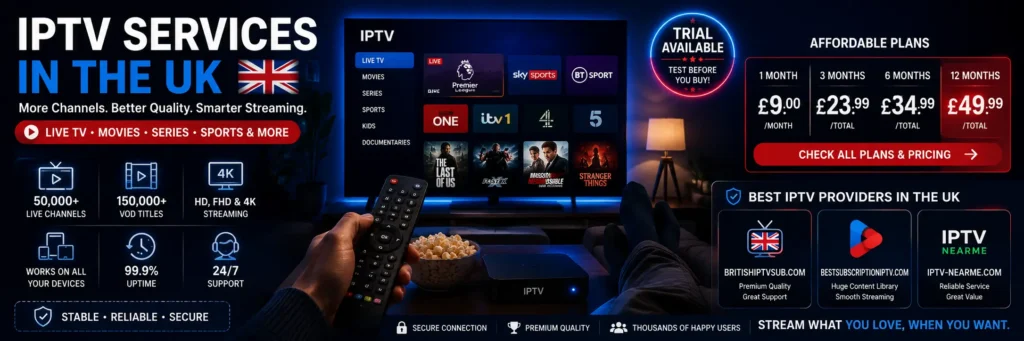
The biggest channel list is not always the best deal. A service can advertise thousands of channels and still feel frustrating if your favourite content is difficult to find, the app performs badly on your TV, or the connection limit does not fit your household.
That is why choosing IPTV services in the UK should start with your real viewing habits, not a headline number. If you want to see the type of plans available before comparing the details, you can visit British IPTV Sub.
This guide gives you a practical way to compare providers, prices, devices, streaming quality, support and subscription terms without turning the decision into a technical project.
First, Define What “Good” Means in Your Home
Before opening comparison tabs, decide what would make a subscription feel successful after one week.
For most households, the answer is not “the largest catalogue”. It is usually a mix of four things: the right content, smooth playback on the main device, enough simultaneous streams, and support that can solve a setup problem quickly.
Write those four priorities down. They will become the filter for everything that follows.
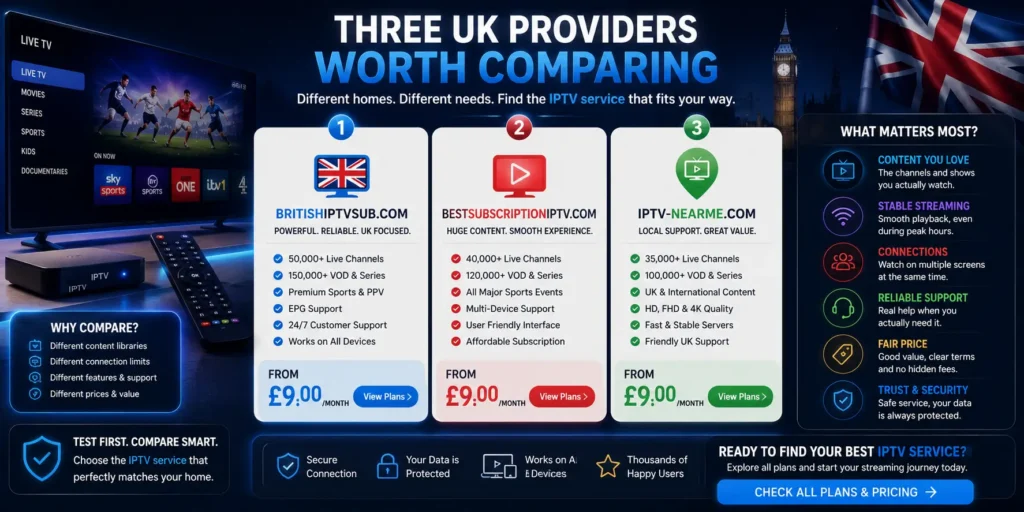
Three UK Providers Worth Comparing
A useful shortlist should make comparison easier, not simply declare one provider “the best” for everyone.
These three options are worth placing side by side according to your device, viewing habits, support expectations and budget.
1. BritishIPTVSub.com
British IPTV Sub is the first option to compare if you want a UK-focused service with published subscription lengths, installation information, a channel page and support resources.
The current public pricing is:
| Plan | Current Price | Best Suited To |
|---|---|---|
| 1 month | £9.00 | Trying the setup with a short commitment |
| 3 months | £23.99 | Regular use with more flexibility |
| 6 months | £34.99 | Households already comfortable with the setup |
| 12 months | £49.99 | Longer-term use after compatibility is confirmed |
You can compare the current IPTV pricing and subscription lengths before choosing a plan. These prices are currently displayed on the provider’s pricing page.
Among IPTV services, the most sensible first purchase is not automatically the longest one. If you have never tested the setup on your own TV and broadband connection, a shorter commitment can reveal more than a large annual discount.
2. BestSubscriptionIPTV.com
BestSubscriptionIPTV.com is another UK-oriented option you can place on the shortlist.
Instead of judging it from homepage claims alone, compare it using exactly the same criteria:
- device compatibility;
- content you actually want;
- simultaneous connections;
- trial conditions;
- support;
- subscription terms.
The goal is not to collect as many IPTV services as possible. It is to remove unsuitable choices until only the providers that fit your household remain.
3. IPTV-NearMe.com
IPTV-NearMe.com can also be included in the same comparison.
Again, avoid assuming that two providers advertising similar channel counts or quality labels will behave identically on your Fire TV Stick, Smart TV or home network.
For these three IPTV services, use one simple rule: compare the same criteria in the same order.
That prevents the most impressive marketing claim from deciding the result for you.
Use the “Saturday Night Test” Before You Trust Any Provider
A stream that looks perfect on a quiet weekday morning has not necessarily passed the test that matters.
Think about the moment when your broadband is busiest.
For many UK households, that means an evening when one person is watching live TV, somebody else has Netflix or YouTube running, a console is connected and several phones are using Wi-Fi.
That is when IPTV services should be evaluated.
Do not spend an entire trial opening 40 channels for five seconds each.
Instead:
- open your important live-TV categories;
- leave one stream running for 20 to 30 minutes;
- switch between several channels;
- test the electronic programme guide;
- try search and favourites;
- check live content;
- repeat the test during a busy evening;
- use the device you intend to keep permanently.
Ofcom notes that broadband performance can be affected by factors including the time of day and the number of people using the connection at home.
That makes a realistic evening test much more useful than one impressive speed-test screenshot.
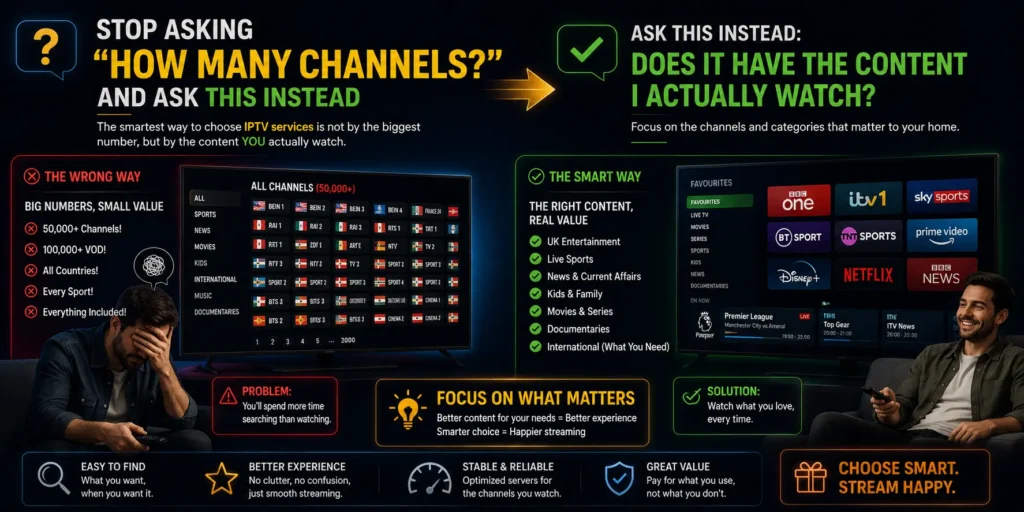
Stop Asking “How Many Channels?” and Ask This Instead
Channel numbers are easy to advertise.
They are much harder to turn into a useful living-room experience.
Imagine two providers.
Provider A advertises an enormous international catalogue, but your favourite categories are buried between hundreds of groups you never use.
Provider B has fewer categories, but your preferred UK entertainment, sport, news and children’s content is easy to find.
Which one actually gives you more value?
For many households, Provider B.
When comparing IPTV services, write down your ten non-negotiables before opening a channel list.
Your list might include:
- UK entertainment;
- live sport;
- news;
- children’s programming;
- films;
- series;
- regional content;
- international categories used at home;
- EPG availability;
- favourites and search.
Then check providers against that list instead of being impressed by a five-digit channel number.
You can browse the British IPTV channel categories as a starting point, but specific must-have content should always be confirmed before committing to a long subscription because online catalogues can change.
The Real Value Is Usually Hidden in the Setup
A subscription can look excellent on a sales page and still become annoying on the first evening.
Installation exposes things advertising often does not.
Can you add the subscription without repeatedly entering details?
Does the playlist load correctly?
Can another person in the house understand the interface?
Can unwanted categories be hidden?
Can you create favourites without digging through menus?
Strong IPTV services should fit naturally into the household rather than forcing the household to adapt around the technology.
A good first setup should leave four areas working properly.
Live TV
Categories should open clearly and switching between channels should feel straightforward.
EPG
The programme guide should be readable and useful rather than a wall of missing information.
Favourites
The channels you use every week should be reachable within seconds.
Search
You should not need to scroll endlessly just to find one film, series or channel.
If you are preparing a new device, follow the British IPTV installation tutorial instead of changing several settings randomly.
One Account Does Not Always Mean Two TVs at the Same Time
This causes more confusion than it should.
A subscription might work on a television and a phone while still allowing only one active stream at a time.
That means:
Multiple compatible devices ≠ multiple simultaneous streams.
Before buying IPTV services, ask the provider one precise question:
How many different streams can play at the same time on this subscription?
Then compare the answer with your household.
One-person household
One active stream can be enough if you move between TV and mobile but never watch on both simultaneously.
Couple
If one person watches football downstairs while the other watches something else upstairs, two simultaneous streams may be required.
Family
A television in the lounge, another TV in a bedroom and a tablet in use at the same time creates a completely different requirement.
The number of devices you own matters less than the number of people likely to press Play simultaneously.
Diagnose Buffering Before Blaming the Provider
Buffering does not have one universal cause.
The server can be responsible.
So can weak Wi-Fi.
So can an overloaded streaming stick.
So can the player.
So can the broadband connection entering the property.
Good comparisons between IPTV services use controlled tests instead of guesses.
Try this sequence.
Step 1: Test where the television actually sits
Do not stand beside the router with your phone and assume that result represents the TV upstairs.
Test close to the streaming device.
Step 2: Try Ethernet
If possible, connect the device directly to the router.
If the same stream suddenly becomes stable, investigate Wi-Fi before replacing the subscription.
Step 3: Try another compatible player
If the same credentials behave normally in another application, the first app may be contributing to the problem.
Step 4: Test another device
Older Smart TVs and low-memory streaming sticks can struggle with large playlists and heavier interfaces.
Step 5: Repeat the test later
Compare a quiet period with the time you actually watch.
Ofcom currently describes broadband of at least 30 Mbit/s as “superfast”, and its 2025 Connected Nations report says this can support one person streaming 4K/UHD video. Real household requirements can of course increase when several devices are active simultaneously.
The Player and the Provider Are Two Different Products
This distinction makes troubleshooting much easier.
The provider supplies access.
The player is the application that turns that access into an interface on your device.
If an app crashes, that does not automatically mean all IPTV services will fail on the television.
If the EPG looks poor in one player, another compatible application may display the same subscription differently.
If a huge playlist feels slow, the problem may involve the device’s memory or the app itself.
Change one variable at a time.
Same provider + different app
Tests the player.
Same provider + different network
Tests the connection.
Same device + different provider
Provides more evidence about the service.
That simple method is far more useful than reinstalling everything at once.
Build Your Own “Home Score”
Generic rankings cannot know what matters inside your house.
So build your own score out of 100.
| Area | Weight |
|---|---|
| Must-have content | 25 |
| Peak-hour playback | 25 |
| Device and player experience | 15 |
| Simultaneous connections | 10 |
| EPG and navigation | 10 |
| Support | 10 |
| Price and terms | 5 |
Score each provider after using it.
This makes comparisons between IPTV services much more useful because one flashy feature cannot hide poor performance in an area that affects you every day.
A sports-heavy household could give even more weight to peak-hour playback.
Someone setting up television for an older relative may place more value on navigation and support.
The score belongs to your household, not the provider.
Test Support Before You Actually Need Support
A “24/7 Support” badge tells you very little.
Send a useful question before buying.
For example:
“I use a Fire TV Stick and two people may watch different programmes simultaneously. Which subscription setup would I need?”
Then judge the reply.
Did they answer the actual question?
Did they explain the limitation clearly?
Did they provide relevant installation information?
Or did they immediately push the longest subscription?
Reliable IPTV services should make practical information easier to obtain.
When you later need technical help, provide:
- device model;
- IPTV player;
- Wi-Fi or Ethernet;
- exact error;
- whether live TV or VOD is affected;
- whether another device works;
- approximate time the issue started.
“Not working” gives support very little information.
Specific details make troubleshooting faster.
Trials Are Useful Only When You Test the Right Things
A trial can save money.
But only if you use it like a test rather than a tour.
The objective is not to prove that one channel opens.
Use a trial of IPTV services to answer the questions that could become annoying after payment.
Test:
- the main television;
- your busiest viewing period;
- must-have channels;
- live sport if it matters;
- EPG behaviour;
- channel switching;
- search;
- favourites;
- audio and video synchronisation;
- support response.
A home screen filled with attractive thumbnails proves almost nothing about sustained viewing quality.
If testing is important to your decision, this IPTV free trial guide explains how to use the evaluation period more effectively.
Price Matters, but the Order of the Decision Matters More
An annual subscription can look extremely attractive when divided by twelve.
That does not automatically make it the best first purchase.
Use this order.
1. Compatibility
Does the service work properly on your actual device?
2. Content
Are the categories you care about available?
3. Playback
Does the service remain usable during your normal viewing hours?
4. Connections
Can the household watch the way it expects to?
5. Support and terms
Do you know what happens when something goes wrong?
6. Price
Only now compare plan length and value.
This ordering makes IPTV services easier to judge because the cheapest annual figure cannot hide a poor fit.
£49.99 for twelve months can look attractive on paper, but the saving means little if you discover afterwards that the device, connection policy or content does not suit your household.
“4K” Is a Label, Not a Complete Quality Test
A 4K badge is not the same thing as a perfect 4K viewing experience.
The result you see depends on several parts working together:
- source quality;
- stream delivery;
- internet connection;
- application;
- streaming device;
- television;
- display configuration.
This is why IPTV services should be judged by what actually appears on your screen rather than by resolution labels alone.
Use motion-heavy content when testing.
Football is particularly revealing because the camera moves quickly across grass, players and detailed crowds.
Look for:
Clarity: Does the image remain clean during movement?
Consistency: Does playback stay smooth?
Buffering: Does the stream stop repeatedly?
Audio sync: Do picture and sound remain aligned?
Start-up: Does the channel launch within a reasonable time?
A clean, stable HD feed can provide a better real-world experience than a higher-resolution stream that constantly stops.
UK Law: Keep Technology and Content Rights Separate
IPTV is a method of delivering television through internet protocol networks.
The technology itself has legitimate uses.
The legal question concerns the content and whether it is being supplied with the appropriate permission.
UK Government guidance defines illicit streaming around watching content without the copyright owner’s permission and specifically notes that this can occur through devices such as Smart TVs, laptops and mobile phones.
The application or box alone therefore does not determine legality.
When comparing IPTV services, look beyond technical features and ask whether the provider is transparent about what it supplies and its right to supply it.
Be cautious when an offer:
- hides who operates it;
- makes unrealistic promises concerning premium content;
- provides no meaningful terms;
- refuses basic questions about content rights;
- encourages users to bypass access restrictions.
A legitimate television service and an unauthorised source can use similar-looking technology.
The content rights are the important distinction.
Read the Boring Pages Before They Become Important
Nobody gets excited about refund terms when the television is working.
They become much more interesting when something goes wrong.
Before purchasing IPTV services, check:
- when the subscription begins;
- whether renewal is automatic or manual;
- cancellation rules;
- refund conditions;
- whether using the service affects cancellation rights;
- billing support;
- simultaneous-stream limits.
Citizens Advice explains that consumers arranging many services online or by phone generally receive a 14-day cooling-off period, although using a service can affect what is refundable depending on the circumstances.
Do not assume that every online subscription behaves identically.
Read the specific seller’s terms and keep your order confirmation.
Seven Red Flags That Deserve a Second Look
One unusual detail does not automatically make a provider bad.
Several warning signs together are more meaningful.
Be careful when IPTV services show several of these patterns:
- no identifiable operator;
- no clear support method;
- missing refund or subscription terms;
- vague answers about simultaneous streams;
- extreme promises without useful setup information;
- pressure to buy a long subscription immediately;
- unclear information about rights to premium content.
One concern may have a reasonable explanation.
Five at once should make you slow down.
The 10-Minute Decision Before You Pay
You should not need twenty comparison tabs open.
Use ten minutes.
Minute 1: Device
Write down the exact TV, Fire TV Stick, Android box, Apple TV, phone or tablet you will use.
Minute 2: Connections
Count how many screens may genuinely play simultaneously.
Minutes 3–4: Content
Write down ten categories or channels that matter.
Minute 5: Network
Check the connection where the main television is located.
Minutes 6–7: Provider
Review support, subscription terms, trial information and connection limits.
Minute 8: Rights
Look for credible information about the content being offered.
Minute 9: Price
Compare subscription durations only after the previous checks.
Minute 10: Decision
If important questions remain unanswered, choose a shorter commitment or continue comparing.
This turns IPTV services from a vague product category into a decision based on evidence from your own home.
Which Provider Fits Which Type of Household?
There is no universal winner.
Your household profile can narrow the shortlist quickly.
Solo Viewer
Priorities:
- one reliable main device;
- simple navigation;
- relevant content;
- one active stream may be enough;
- short initial commitment.
Sports-First Household
Priorities:
- busy-evening testing;
- responsive channel switching;
- stable live playback;
- useful EPG;
- quick troubleshooting.
Family
Priorities:
- simultaneous connections;
- easy favourites;
- children’s categories;
- simple remote navigation;
- clear support.
Multilingual Household
Priorities:
- relevant international categories;
- ability to hide unwanted groups;
- favourites;
- good search;
- manageable navigation.
The “best” IPTV services are therefore the ones that solve the needs of a particular household, not necessarily the ones that win generic online rankings.
Frequently Asked Questions
What should I check first when comparing IPTV services?
your main device, your must-have content and your simultaneous viewers.
Those points can eliminate unsuitable subscriptions quickly.
Then compare trials, support, terms and price.
How much broadband speed is enough?
There is no single speed that guarantees perfect streaming because video quality, compression and other household traffic affect the amount of bandwidth required.
Ofcom currently classifies 30 Mbit/s and above as superfast broadband and says this can support one person streaming 4K/UHD video.
What matters most is the connection reaching the television during your normal viewing hours. Test Your Connection
Why can one IPTV player work better than another?
Applications differ in playlist handling, decoding, memory usage, EPG support and interface design.
If the same account behaves differently in two compatible apps, that is useful evidence that the player may be contributing to the problem.
Can one subscription work on several devices?
Potentially, but installation on multiple devices does not automatically mean several streams can play simultaneously.
Always ask the provider for the active-stream limit.
Is a trial worth using?
Yes, when it reflects your real use.
Test during the evening, use your normal device, check your favourite content, open the EPG and see whether support can answer a practical question.
Are IPTV services legal in the UK?
The technology has legitimate uses.
The legal issue centres on whether copyrighted content is supplied with the necessary permission.
UK Government guidance defines illicit streaming by the lack of permission from the copyright owner, rather than by the use of one particular application or device.
Choose the Service That Survives Your Real-Life Test
The easiest mistake is choosing IPTV services from a sales page.
A better approach is to make the provider prove that it fits your home.
Start with your main device and your must-have content.
Test during the hours you genuinely watch.
Confirm simultaneous connections.
Separate app problems from broadband problems.
Ask support one useful question.
Read the terms.
Check the source of the content.
Only then should subscription length and price decide the final choice.
If you compare British IPTV Sub with other UK providers, use published prices, channel information, setup resources and your own trial results as evidence rather than relying only on marketing claims.
The right IPTV services should feel simple after setup: turn on the television, find what you want and watch without constantly thinking about the technology behind it.
Copyright notice: IPTV is a delivery technology and does not itself provide permission to redistribute copyrighted programming. Viewers should access only content they are authorised to watch, and providers are responsible for obtaining the rights required for the material they distribute.